Free Mac Apps

tools for shoot days.

Two small apps we built for our own shoots. Free, open source and notarized by Apple.

撮影現場のために作った無料Macアプリ。オープンソース・Apple公証済み。

Day Offload app icon

Day Offload.

Offload today's footage — not the whole card.

今日撮った分だけ、カードから取り込む。

  • Copies only the shoot days you pick. Proxies and sidecar files go with their clips.

    選んだ撮影日の素材だけコピー。プロキシ・サイドカーも一緒に。

  • Put a card in and today's footage is ticked — or its latest day, the morning after.

    カードを挿すと今日の素材を自動選択。翌朝なら最新の撮影日。

  • Written to every drive at once, then read back and checksum-verified. The card is only read.

    全ドライブへ同時に書き込み、チェックサムで照合。カードは読み込むだけ。

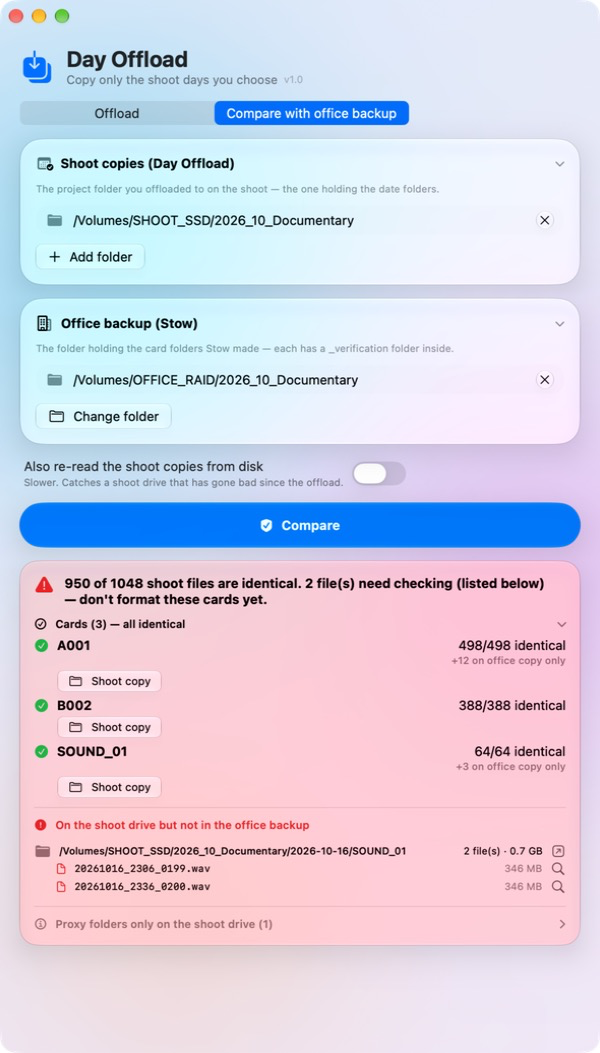
  • Back at the office, checks the shoot copies against your Stow backup.

    事務所でStowのバックアップと照合し、足りないファイルを表示。
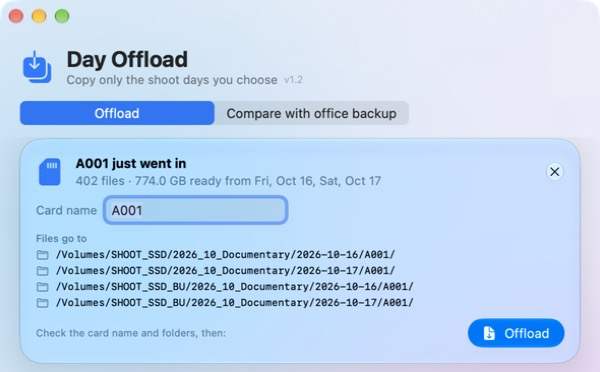
A camera card goes in: Day Offload shows its shoot days and the exact backup folders, ready to offloadCompare footage offloaded on the shoot with a Stow office backup, listing any missing files
Download — Free ↓

macOS 14+ · Apple Silicon & Intel · GitHub

macOS 14以降・Apple Silicon/Intel対応

Peripheral Speed app icon

Peripheral Speed.

Is your drive as fast as it should be?

Macのポート、本当は何GB/s出てる?

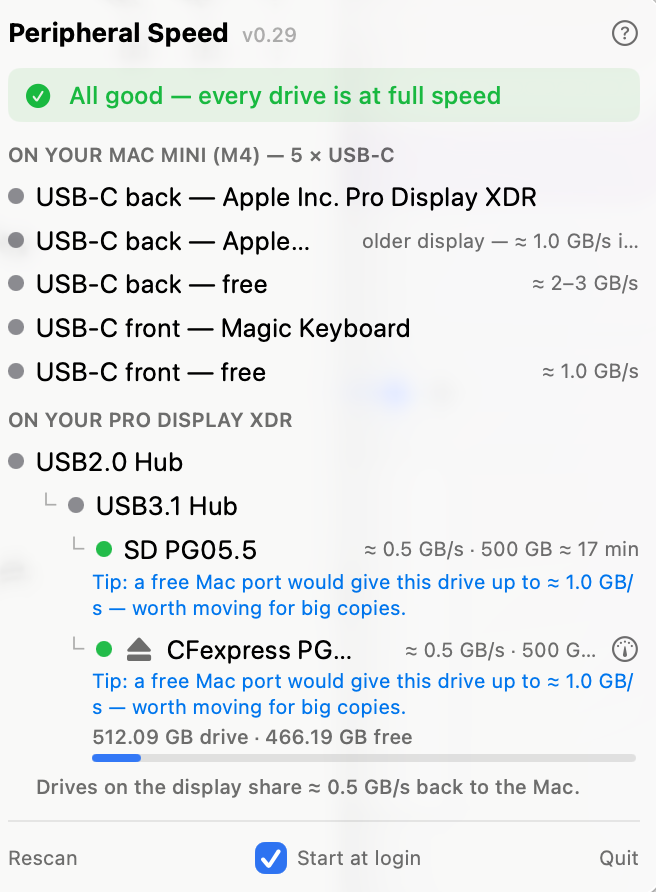
  • Every port and drive in real-world GB/s, right in the menu bar.

    各ポート・ドライブの実効速度をGB/sでメニューバーに表示。

  • A slow link goes red and says why — wrong port, cable or hub.

    遅い接続は赤く表示。ポート・ケーブル・ハブなど原因まで。

  • One-click speed test, live copy speed and free space at a glance.

    ワンクリック実測、コピー中の実速度、空き容量もひと目で。

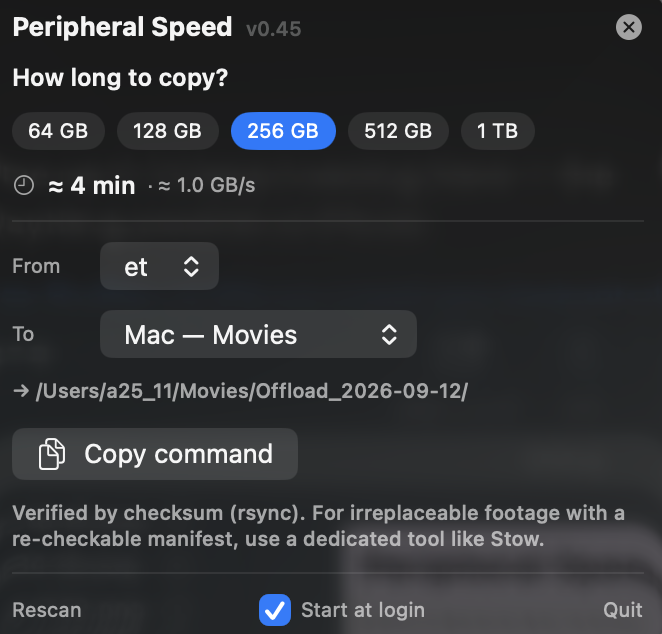
  • Offload planner: see “500 GB ≈ 8 min” before you start.

    取り込みプランナー:「500GB ≈ 8分」を事前に確認。

Peripheral Speed advising which Mac USB-C port is fastest for an external driveMac offload time calculator — pick a size, choose source and destination, get a checksum-verified copy command
Download — Free ↓

macOS 13+ · Apple Silicon only · GitHub

macOS 13以降・Apple Silicon専用

Unzip, drag to Applications, open. That's it.

解凍してアプリケーションフォルダに入れて開くだけ。

Useful? Buy us a ¥500 matcha latte.

役に立ったら、抹茶ラテ1杯の応援を。

🍵 Support on Ko-fi