
Peripheral
Speed.
Macのポート、本当は何GB/s出てる?
your drive says 10Gbps. is it actually delivering?
A wrong cable, a wrong hub, or the wrong hole and your “fast” SSD silently copies twenty times slower — a one-hour footage offload becomes an all-day one. Peripheral Speed is a tiny menu-bar app (⚡) that shows what every port and drive on your Mac actually negotiated, in real-world GB/s, and tells you exactly what to fix.
ケーブルやハブ、挿すポートを間違えるだけで、外付けSSDは静かに20倍遅くなります。 Peripheral Speed はメニューバーの小さな ⚡ アプリ。各ポート・各ドライブの実効速度を表示し、 遅い時は原因と直し方まで教えてくれます。撮影データの取り込み前チェックに。
Every port, laid out the way you see them on your desk — Mac first, then your display. Free ports show what a drive would get there.
ポートを机の上の配置どおりに表示。空きポートには「ここに挿すと何GB/s出るか」も。
One honest unit: real-world GB/s. No bits-vs-bytes traps, no marketing numbers — the speed your copy dialog will actually show.
単位は実効GB/sに統一。カタログの「10Gbps」ではなく、実際のコピー速度で表示。
Slow link? It goes red with the fix: wrong port, wrong cable, wrong hub — spelled out.
遅い接続は赤く警告。「左のポートに挿し替えて」「ケーブル交換」など対処法まで表示。
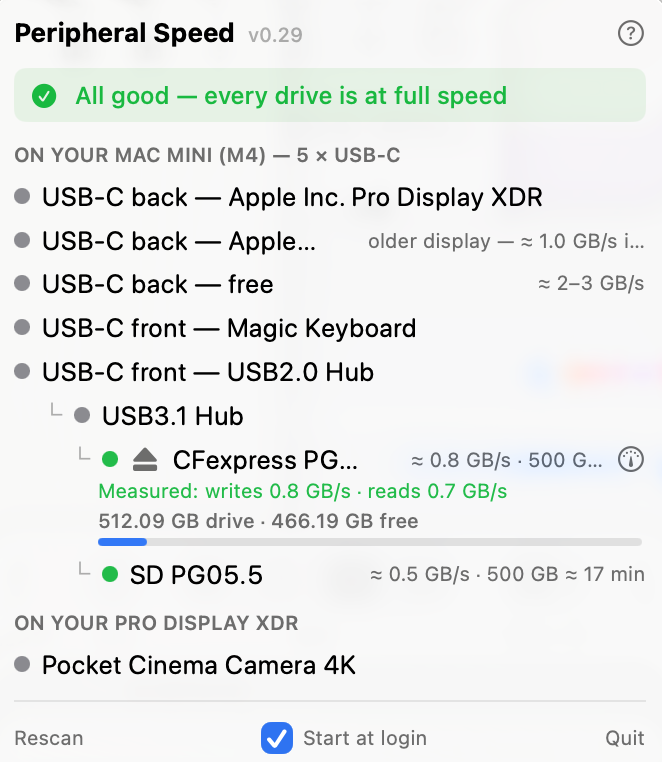
Measure real speed with one click, eject safely, and see "500 GB ≈ 8 min" before a big offload.
ワンクリック実測スピードテスト、安全な取り外し、「500GB ≈ 8分」の目安時間。
Watch copies live: open the menu mid-transfer and see "Copying right now ≈ 0.8 GB/s" — no more trusting Finder's progress bar.
コピー中の実速度をリアルタイム表示。「今 ≈ 0.8 GB/s で転送中」— 進捗バーを信じる必要なし。
Capacity at a glance — "1 TB drive · 487 GB free", with a warning when a drive is nearly full. Fast enough AND big enough, checked together.
空き容量もひと目で。「1TBドライブ・残り487GB」、残量わずかなら警告。速度と容量を同時にチェック。
A drive in a Thunderbolt enclosure shows up as your drive — not as "Intel Ash Creek". Speed, capacity, eject and the speed test all work, against Thunderbolt's real ceiling (≈ 2.8 GB/s on TB3), not the 40 Gb/s printed on the box.
Thunderboltケースに入れたドライブも、チップ名(Intel Ash Creekなど)ではなくドライブとして表示。速度・容量・取り外し・実測テストに対応。上限は箱の「40Gbps」ではなく実効の約2.8GB/s。
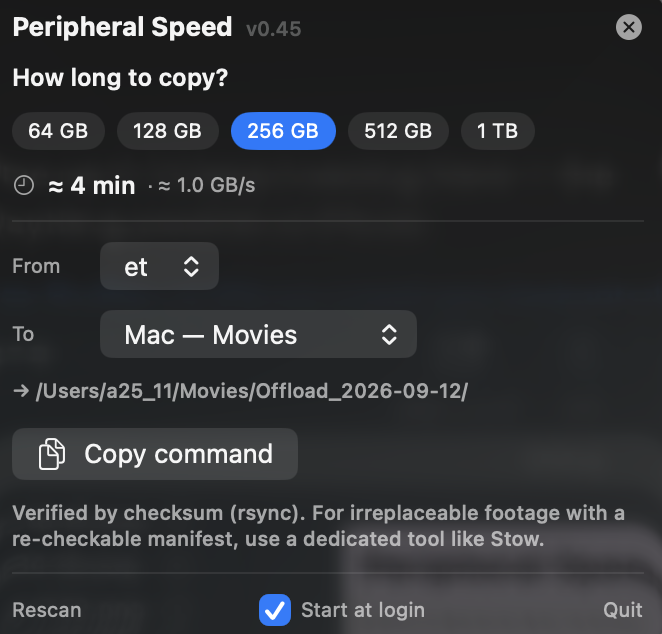
Offload planner — pick a size and a source → destination (drive, card, or your Mac), see the time, and copy a checksum-verified command. The app plans it; it never touches your files.
取り込みプランナー — 容量とコピー元→先(ドライブ・カード・Mac)を選ぶと所要時間を表示、検証付きコピーコマンドをワンクリック。ファイルには触れず、あなたが実行。
It even tells you which port is fastest.
「そのドライブ、Macのポートに挿し替えた方が速いですよ」まで教えてくれます。
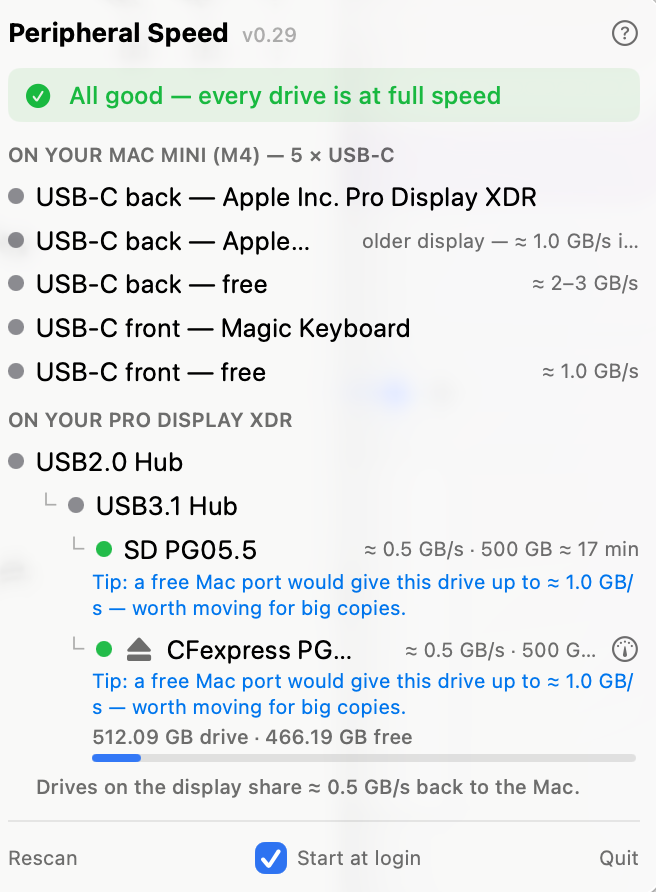
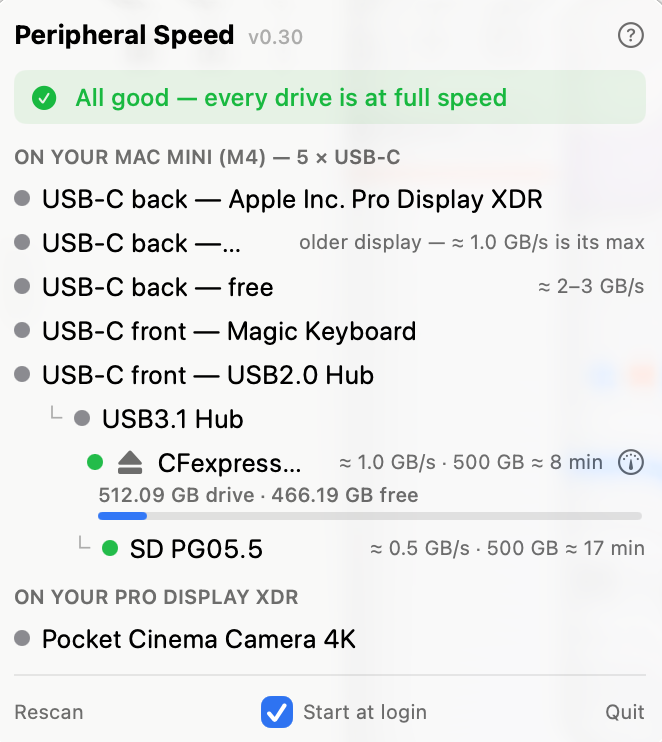
Don't trust the label — measure it.
カタログ値ではなく、実測。ボタン一つで本当の書き込み・読み込み速度を計測。
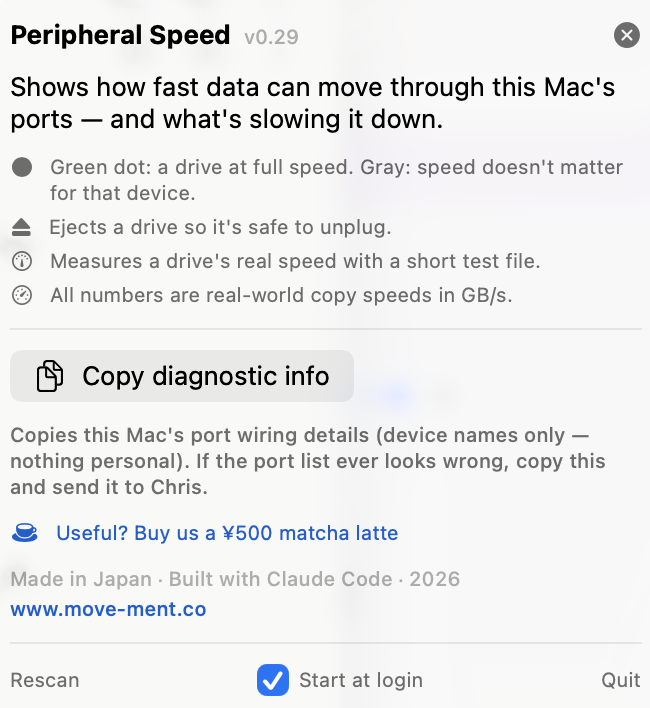
Plan the offload — how long, and where.
取り込み前に、どこへ・何分かかるかを計算。ワンクリックで検証付きコピーコマンドも。
Apple Silicon (M1 and later) · notarized by Apple — unzip, drag to Applications, open. That's it. Future updates install themselves with one click.
Apple Silicon Mac 専用(M1以降)・Apple公証済み。解凍して アプリケーションフォルダに入れて開くだけ。以後のアップデートはワンクリックで自動インストール。
Free & open source · source on GitHub
useful? buy us a matcha latte
Peripheral Speed is free, forever. If it saved your offload day, a ¥500 matcha latte keeps it cared for.
このアプリはずっと無料です。役に立ったら、抹茶ラテ1杯(¥500ほど)の応援をいただけると嬉しいです。
🍵 Support on Ko-fi